- cross-posted to:
- programmer_humor@programming.dev
- cross-posted to:
- programmer_humor@programming.dev
You must log in or register to comment.

Friend told me it was quicker to get screenshots from a game using F12 with steam, and copying it. After I told him he could press Alt+print screen, and directly paste in steam chat.
<Right click> "Now where is copy?.. Copy copy copyyyaah here! " <click>
<slow mouse move to taskbar>
<click on the other program in the task bar>
<right click> “Aaaand… Paste” <click>
"There you go… "Right click? Luxury! I’ve seen people go up to File>Edit far too many times.
Right click > more options (which summons a whole new menu) > copy > close the file explorer > open a new file explorer > navigate to desired folder > right click > paste > realize that the “copy”-button was misclicked and the clipboard is empty > close file explorer > open new file explorer > navigate to original file > repeat.
I watch this loop twice.
That’s what purgatory is, just watching middle management navigating whatever systems you know best.
At my old job, the CEO was showing me something and accidentally closed the tab. He started to go to his history, and I said Ctrl-Shift-T. He was very impressed at least lol.
I go to night school at community college and I pointed this shortcut out to the adjunct “professor” (not actually a professor) during a lecture the other day, and she said “oh you youngins with your computer tricks”. But she’s a year younger than me :') I’m just a nerd. And it’s not even a very advanced shortcut! Like idk how to use Excell and idk what “inspect element” means, I just get stresses abt losing my tabs.
Listening to my boss and older co-workers who all get paid way more than me struggle to sign a PDF and blame everything on Firefox was a radicalizing moment for me
In the lower levels of purgatory, maybe. As you make your way up the mountain, you progress to navigating the systems yourself, but everything is rearranged and the locations of each menu and item change at random intervals. Also, the dimensions are all wonky, your task bars take up half the screen and can’t be resized or minimized, and every button takes several seconds to respond after being clicked. Oh, and when placing objects in a field they auto-lock to grid, but it’s always in the wrong spot. And every website is dynamic.
As part of my career in software design, I used to run A/B testing and usability tests. This meant sitting with users and watching them use the software. Since IUE (initial user experience) was very important, this often included inexperienced users.
The data was absolutely worth it, and definitely improved my designs, but it took a lot of patience to watch people struggle and fail without intervening or saying anything that would affect the results. It was rewarding, but sometimes excruciating.
This meant sitting with users and watching them use the software.
How did you manage not to strangle anyone, nor jump out of the window?
They’d probably have to put me behind glass or just make me watch a tape like it’s an old handegg practice session.
Nah, they’ll just lock you in a cuck cage
I’ve watched pups escape from those more times than you’d think, so I’m not worried.
You did what?
edit: I misread cuck cage.
Yeah, sometimes it really hurt.
maybe a high enough salary
Did you ever get any power users who raged at the lack of command line switches or something like that?
Nothing that techy. I did include power users in tests, but their requests were usually for specific hotkeys or to have their favourite (and lesser used by most users) feature front and centre.
It can be difficult to balance a UI for inexperienced and power users, but watching them interact with prototypes and the actual software does help.
Care to share some tips? I feel I’m getting there, trying to navigate old ERP interfaces, new web interfaces, and AI interfaces, and a mix of boomers, millennials, Gen Z as user base.
I think two major things are understanding platform standards and that what users say they want is often not what they need or what will work best for them.
Innovation is fine, but IUE and usability are often better served by following common platform standards (for general apps on the OS, not necessarily trying to match existing and often shitty enterprise software).
Also, it’s important to look for root causes when people ask for a specific feature. Many users focus on specific UI elements when they’re having issues, and in a complex system, it’s easy to wind up with bloat by solving the wrong problem. This is often how enterprise software becomes so unwieldy, with options and elements seemingly vomited all over the UI. What users think they want and what they need can be very different things.
Sorry if this is too general or basic. It’s hard to design a system that works for beginners and experts, and A/B testing a mix of users early with lofi prototypes helps a lot. For existing software, just watching users interact with it is massively helpful.
Is this what you meant? Happy to be more specific if I missed the mark.
I remember vividly watching someone type in the address bar of their browser “google”, and hit enter. It took them to the google results page from which they pressed on the first result, google.com, and only then did they proceed to type in their search term.
Someone out there has written a browser plugin where, if you search for Google, it just gives back a page that says “No. Just type in the search query in that bar up top.”
Was it an older person? I remember when a big selling point of chrome was you could search Google from the address bar rather than going to Google.com. On a related note, have you seen my walker?
Oh man, I used to work as essentially help desk for old people where they were subscribers to unlimited remote support and we would screen share. I once watched someone, whose browser homepage was hijacked by Yahoo, type Google into Yahoo, click the first result (to Google), then they typed Gmail into the Google search, clicked the link, and finally got to Gmail to login.
Still not as bad as the lady who insisted on hacking Farmville using scripts and Firefox extensions that would have to call us every few weeks to fix everything due to an update. We essentially had to update Firefox and extensions and scripts and reload it all very often. She got passed around a lot.
Then there was the guy who we helped low key pirate media, he was fun. Super nice guy.
Technically, less typing! Well fix your default search is what I tell em and I charge 37500 dollars! That’s a lie but I wouldn’t lie to the internet
“I lied. But actually I would never lie. That’s the fake news media that says I lie. I knew they would because they’re terrible people.”
uses windows and edge. 3 different antivirus softwares running. 99 tabs open. pressing keys with a single finger and 3 second search time for every letter. copy with right mouse click. every adress in the mail is added with cc instead of bcc.
uses only microsoft word on the most overpowered modern pc the world has ever seen. somehow still manages to exhaust its power.
99 tabs open.
Rookie numbers.
Shit, some people are just hated by computers.
I remember my friend was having an issue and I am walking him through how to fix it. I tell him exactly what to do, watch him do it exactly, and it kept failing.
I take over, do the exact same thing I just had him do 3 times which didn’t work, but when I did it it worked. We were both confused as fuck. He appears to be one of those people that technology never seems to work around.
This became a running joke with an old boss. He told me when I started that he was a human EMP for electronics. He wasn’t lying. Just the most baffling problems constantly. Then he’d joke that I needed to touch it and sure enough, it’d work for me. I once watched him enter his password 3 times. It didn’t work. I did it. It worked. I watched his damn fingers.
I think the password is a timing thing. When I type in the same password that failed but slower, it works. I suspect I’m probably brushing another key when fast typing.
We have a friend who’s banned from touching the music at partys because he will find a way to accidentally delete the playlist, no matter what we do to make it idiot proof.
I have the fun privilege at work these days of being the guy who sometimes makes things work just by walking in the room.
It feels like a tale as old as time. I’m one of the few software engineers working on the embedded code in our new product, and occasionally a technician or V&V tester or different discipline engineer will ask me to look at something acting funny. And I fully believe them, not just because they have no reason to lie but because “acting funny” is exactly the lifestyle our system is living!
Sometimes I get to lean on my experience with the code, then glare at something on the screen and say I don’t trust it, and that leads us to the fix. But about half the time, just sensing that somebody called daddy into the room makes it stand up straight and stop fucking around, lol.
They need to offer more prayers to the Machine Spirit
Ah, yes. Long time ago I had a friend for whom USB sticks would only mount read-only. I’d take out the stick, put it back in, and it would mount writable.
When they start using shortcuts I didn’t know existed lmao
I once blew a coworker’s mind with Alt-Tab.
I taught multiple people in my life how to select multiple file with Ctrl+LMB and Shift+LMB… we’re all the same age
Shift delete bypasses the recycle bin and deletes the selected files directly.
Millennials, you think you know stuff then constantly need help.
Are you that fucking old? I’m a millennial and I’m 42!
As a teacher, I love control-shift-T.
“No Mr, I wasn’t playing Geometry Dash!”
The devil incarnate
A well timed “ctrl w” is also very useful. Say goodbye to your ELO…
Only amatures don’t use a private browsing window.
On Windows, Alt+Esc puts the focused window at the very back of the window stack
On windows, ctrl+shift+esc brings up the task manager and not the menu most people click the task manager in.
Worth noting that using ctrl+shift+esc will not send a cpu interrupt, so it won’t help if stuff is locked up.
win+x on windows 8 forward brings up a system shortcut menu
That I oddly knew about, but others here might not :b
Strg + Win + Alt + Shift + L in Windows opens Linkedin.
And this is why Copilot failed. It’s bad enough watching a human do dumb shit on a computer, but having to watch a dipshit AI fumble around on your machine just takes it to a whole new level.
that’s why you install some niche Linux distro with you own I3WM rice. no one will be able to touch your computer
I installed “Yantra launcher” on my phone, now no one manage to use my phone

If only you can add tmux too
Guess what…
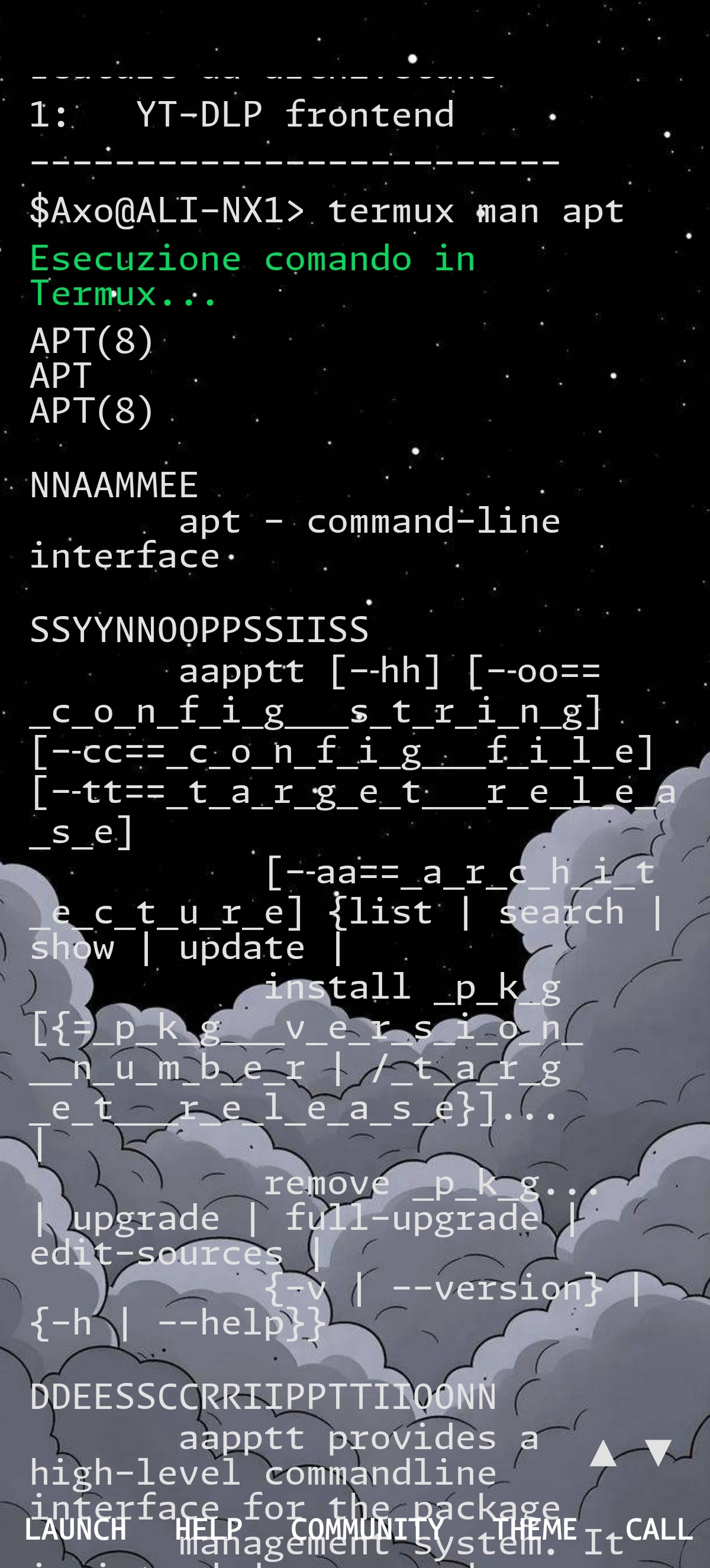
(But the output can be printed in Yantra’s terminal only if the command/software has a stout)
My keybinds are made for my own mind and my mind alone.
Me while I’m setting my keybindings: “This is genius! Absolutely pure genius! What an elegant solution. This will be the new industry standard. This is history in the making.”
One week later: “What did I set it to again?”
AntiX with IceWM 🤣
And some custom hardware as well. It’s so jarring using other peoples computers that don’t have mouse button #14
Watching someone use a laptop with a trackpad only when there’s a mouse right there is my hell.
bats mouse away in a power move
I miss the red nipple, BRING BACK THE NIPPLE!!!
My work HP laptop has a mini thumbstick where the nipple goes . i love using it . i miss the nipple tho!!
Watching someone constantly take their hand off the keyboard to use the mouse when there’s a trackpad right there is my hell.
It’s not just doing it differently, it’s doing it wrongly!!!
If I’m watching someone do something differently than I do, it’s often fun to ask them why. You might pick up a new technique, or see how you’ve been doing something that’s holding you back.
…but when I’m watching someone else use a computer, it just drives home how they don’t know what they’re doing, but just following basic steps that they (probably) learned one time from some other fool that probably learned from some community computer class where typing was considered an advanced topic. It’s not seeing someone cut against the grain of the wood rather than with it, but rather watching them use a router to cut a 2x4 in half.
I can forgive someone for not knowing that control+c/v doesn’t work in a terminal (the first few times) (or doesn’t work like they expected, more accurately) or why, but I can’t grasp how we can be 20 years past common commands like alt+tab, clipboards and their uses, or basic understanding of the difference between an operating system, a system program, and a hierarchical file system… and people still struggle to use the mouse.
common commands like alt+tab, clipboards and their uses, or basic understanding of the difference between an operating system, a system program, and a hierarchical file system… and people still struggle to use the mouse.
Not to larp on the younger generations, but interacting with computers through touch screens is likely a major culprit here. Why would you know how to navigate file structures, or even open a terminal, when they were given an iPad when they were 5 years old?
The way programs are presented on a touch screen, and the actions they are taking inside of an application also being very fundamentally different in a gui sense, is surely to blame. I’m not upset about someone’s lack of understanding in that, really, in the sense of a generation alpha, but millenials, who had computer classes in just about every school in america thanks to apple and microsoft competing to get them hooked, give me major grumbles.
control+c/v doesn’t work in a terminal
cackles maniacally in macOS
Works on windows too. That was a bit of a learning curve for me switching to Linux
To be fair, you can just change your shortcuts in the terminal preferences.
good luck cancelling commands after rebinding Ctrl+C. it sounds like a good idea, but it isn’t. Ctrl+C/V is acting differently in the terminal for a reason.
most terminals have bindings for Ctrl+Shift+C/V, though!
Yes, yes, now go donate some more money to your turtlenecks so they can pass it along to trump.
It’s easier to like the OS when I’m not the one paying for the overpriced hardware
What?
Im the elder millennial who helps explain shit to both my older and younger coworkers about our computers (as well as printers and copiers and shredser). Its maddening how some of them use the computer.
I know the struggle. I work with people in their 20s and people in their 60s, with various language barriers between us. The IT department should pay me because I save them 5 calls a day. Why can’t they ever see what I’m telling them to click? And why do they just click on anything when they don’t see it?
O my god the random clicking… why just why?
We have language barriers with a lot of customers (thank god for internet translate), but thankfully me and the coworkers all speak same language.
Watching my teen son try to use basic computer interfaces is maddening, but he can navigate a touch screen like it’s his bitch.
My wife meticulously right-clicks for the context menu, and clicks copy, and then again for paste. My inner ctrl-c, ctrl-v screaming the entire time.
Maybe it’s the lack of feedback, have you tried installing some snackbar that will popup when she presses ctrl+c?
Double clicking links
My boomer dad.